
Lexonstream IPTV 4K: HD, Full HD, 4K and the Speed You Need
4K IPTV is the reason many people look at IPTV in the first place: a big TV deserves a sharp picture, live games you can actually follow, and movies that use the whole screen. But the quality you see at home depends as much on your setup as on the service. Lexonstream IPTV streams its channels in HD, Full HD and 4K; to enjoy them, you need the right internet speed, a stable connection and a well-configured app. This guide explains what you can expect, what to prepare at home, and how to check it all for free before you subscribe.
Lexonstream IPTV 4K: the quality levels you get
Every Lexonstream IPTV plan includes the same picture options. The channel list comes in three quality levels:
- HD, the everyday level for most channels and smaller screens;
- Full HD, a sharper picture for living-room TVs;
- 4K, the top level, for large screens and the channels that carry it.
There is no 8K. Some providers advertise it, but the top quality published for Lexonstream IPTV is 4K, and that is what this guide covers. The quality also depends on the channel itself: not every channel is broadcast in 4K, so you will see a mix of levels as you move through the list.
The quality is the same whichever plan you choose. A one-month plan with one connection gets the same HD, Full HD and 4K channels as a twelve-month plan with four connections. What changes the price is only the length and the number of devices watching at the same time, as our IPTV subscription page shows.
What "premium IPTV" really means for your screen
"Premium IPTV" is a phrase you will see everywhere. Rather than a label, it is more useful to look at what you actually get. With Lexonstream IPTV, that means:
- 40,000 live channels, available worldwide, organized by country and category;
- 170,000 movies and series on demand, in every plan;
- HD, Full HD and 4K channels;
- live sports and major events;
- anti-freeze technology;
- a TV guide (EPG);
- 24/7 support on WhatsApp.
Those are the published facts. Anything beyond them is up to you to check, and the free trial is the place to do it.
The internet speed you need for 4K IPTV
Speed is the first thing to check. The published recommendation is simple:
| Picture | Recommended minimum speed |
|---|---|
| Standard definition (SD) | 10 Mbps |
| HD and 4K | 25 Mbps |
These are minimums for a smooth picture, not targets. If other people in your home are streaming, gaming or downloading at the same time, they share the same connection. A household that watches on two or three devices at once needs more headroom than a single viewer.
To measure your speed, run a speed test on the device you will watch on, at the time of day you usually watch. Evening speeds are often lower than daytime speeds. If you get well above 25 Mbps on the TV itself, 4K should be comfortable; if you are close to the limit, Full HD will usually be the steadier choice.
Ethernet or Wi-Fi for Lexonstream IPTV in 4K
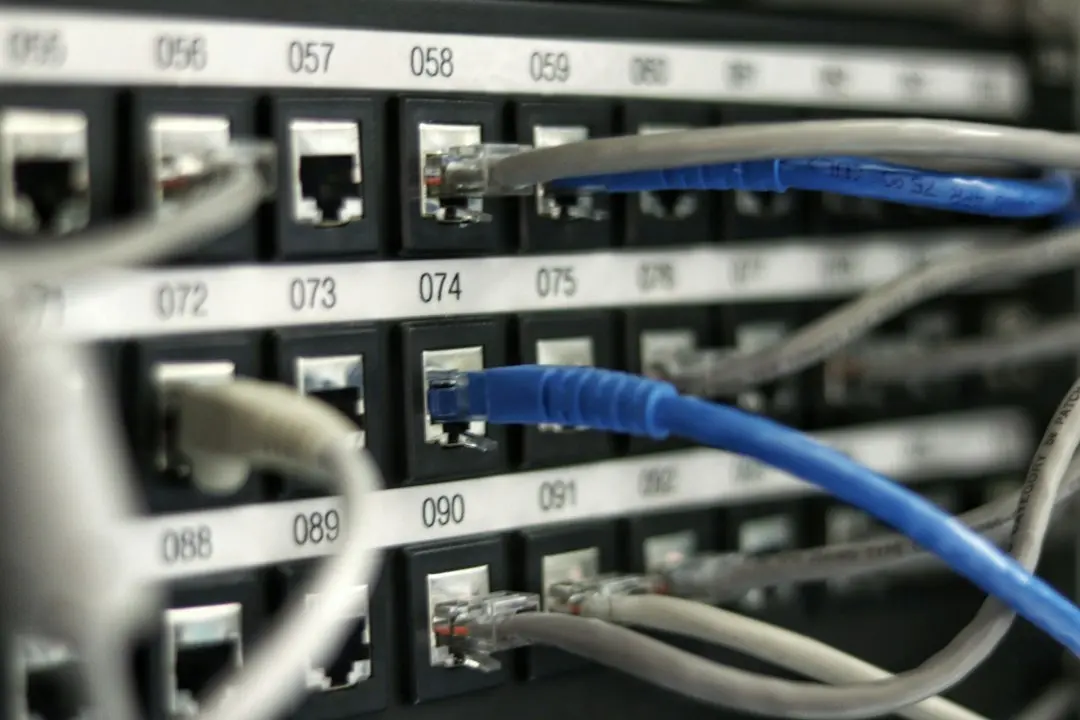
On a TV, an Ethernet cable is more stable than Wi-Fi. Wi-Fi speed drops with distance, walls and interference from neighbors' networks, and those drops show up as a softer picture or pauses. A cable removes most of that variation.
If your TV or box has an Ethernet port, use it for 4K. If it doesn't, a few things help with Wi-Fi:
- place the router closer to the TV, or the TV device closer to the router;
- use the 5 GHz band if both your router and device support it;
- avoid streaming 4K on several devices at the same time over a weak signal;
- restart the router if speeds are lower than usual.
Small streaming sticks plugged behind a TV often get the weakest Wi-Fi signal in the room. If the picture is unstable on a stick, test the same channel on a device closer to the router to see whether the network is the cause.
Anti-freeze technology and the TV guide
Two features come with every Lexonstream IPTV plan and matter for a smooth viewing experience.
Anti-freeze technology is part of the published plan features. It works on the service side; your part is to give it a stable connection, because no technology can make up for a network that keeps dropping.
The TV guide (EPG) shows what is on now and next. How you sign in makes a difference here: when you add your subscription in an app with Xtream Codes, catch-up and the TV guide load automatically. With an M3U playlist, the channels work, but the guide may need extra setup in some apps. If you care about the guide, tell the team your device when you order, so the right format is sent. Our IPTV Smarters Pro guide explains both sign-in methods.
Which devices to use for 4K IPTV
4K needs a 4K screen and a device that can play it. Lexonstream IPTV works on Samsung and LG Smart TVs, Amazon Fire TV Stick, Roku, MAG boxes, Android phones and tablets, iPhone and iPad, and Windows PC and Mac. For a 4K picture on a TV, the TV's own app or a 4K-capable streaming device is the natural choice.
The setup guide recommends IPTV Smarters Pro on PC, Mac, Fire TV Stick and Android, and IBO Player Pro on Samsung and LG Smart TVs and on Roku. Step-by-step instructions are in our IPTV setup guide, in the Fire TV Stick guide and in the IBO Player Pro guide.
What to check during the Lexonstream IPTV free trial
The 24-hour Lexonstream IPTV free trial is the honest way to see whether 4K IPTV works in your home. Ask for it on WhatsApp and tell us your device and your IPTV app. Then use the 24 hours well:
- Run a speed test on the TV device at your usual viewing time.
- Open a few 4K channels and watch each for several minutes, not just a few seconds.
- Compare Wi-Fi and Ethernet if you can, on the same channel.
- Try the channels you care about most, at the times you would watch them.
- Check the TV guide and, if you use Xtream Codes, catch-up.
- Test the video on demand: start a movie, pause it, skip ahead.
- Try every device you plan to use, since each runs its own app.
Take notes as you go. If the picture is unstable, check your speed and your Wi-Fi before drawing conclusions: most quality problems at home come from the network.
This matters because of the refund policy: there are no refunds or changes once a subscription has been activated. The trial exists so you can test the service before you pay. Our Lexonstream IPTV review guide has a longer checklist.
Frequently asked questions
Does Lexonstream IPTV offer 8K?
No. The top quality published for Lexonstream IPTV is 4K, alongside HD and Full HD. Some channels are not broadcast in 4K, so the quality varies from channel to channel.
What internet speed do I need for 4K IPTV?
At least 25 Mbps for HD and 4K, and at least 10 Mbps for standard definition. Those are minimums: leave headroom if other devices use the connection at the same time.
Is 4K included in every plan?
Yes. Every plan includes the same HD, Full HD and 4K channels, whatever the length and the number of connections.
Why does my 4K picture freeze or look soft?
Usually because of the home network: Wi-Fi far from the router, other devices using the bandwidth, or speeds below 25 Mbps. Try an Ethernet cable, test your speed on the TV device, or switch to a Full HD channel to compare.
Can I test 4K before paying?
Yes. Ask for the free 24-hour trial on WhatsApp, with your device and your app, and test the 4K channels at home.
Conclusion: get 4K right with Lexonstream IPTV
Lexonstream IPTV gives you HD, Full HD and 4K channels in every plan, with anti-freeze technology and a TV guide. To make the most of 4K IPTV, plan on at least 25 Mbps on the TV device, prefer Ethernet to Wi-Fi, and sign in with Xtream Codes if you want the guide and catch-up to load on their own.
The surest way to know is to try it at home: start with the 24-hour free trial, then pick your plan on the IPTV subscription page, from $12 for one month.
Want to try Lexonstream IPTV?
Ask for the 24-hour free trial on WhatsApp, or subscribe from 12 for 1 month.
Related articles

Lexonstream IPTV Price: 1, 3, 6 or 12 Months?
Lexonstream IPTV price guide: every plan from $12, the cost per month for 1 to 4 connections, what you save on longer plans, and why to test first.
Read the article
Lexonstream IPTV Review: How to Judge an IPTV Provider
Lexonstream IPTV review: why we show no ratings, what is published, and a checklist to judge this or any IPTV provider during a 24-hour free trial.
Read the article
Lexonstream IPTV on Firestick: Step-by-Step Setup
Watch Lexonstream IPTV on a Fire TV Stick: allow unknown sources, sideload IPTV Smarters Pro with Downloader, sign in, and get a smooth picture.
Read the article